System
Spectrum
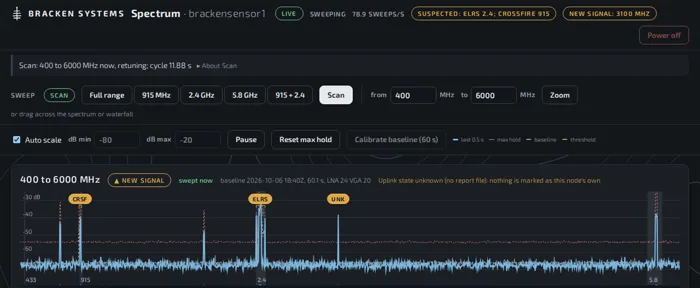
In testingReceive-only RF sensing and direction finding, carried on a small unmanned aircraft. Spectrum sweeps 400 to 6000 MHz, names suspected control links on 915 MHz and 2.4 GHz and analog video at 5.8 GHz, and on a signal you pick turns the aircraft until it faces the signal. The aircraft's heading, drawn on the team's TAK map, is the line of bearing.
Finding a transmitter
A flight test: the ground station, the aircraft, and a hobby radio-control transmitter on 915 MHz as the target. The aircraft launches and is switched to autonomous. Spectrum names the transmitter's link, and the operator picks it. The aircraft turns once round, then makes a slow pass each way, and ends facing the signal. The direction-finding run took 54 seconds.
Silent, captioned, cut to a minute. A real flight test; grid references and a network name are blurred.
What it hears
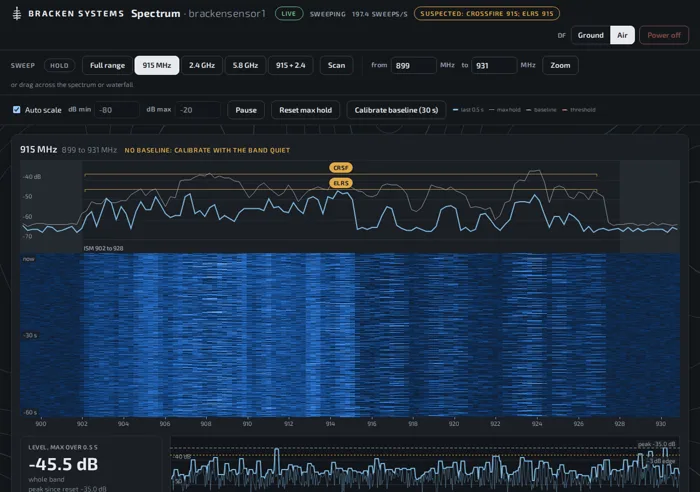
A software-defined radio sweeps 400 to 6000 MHz, holds on one range, or scans the full range, 915 MHz and 2.4 GHz in turn. Signals that are new on the full range, against a baseline taken with the band quiet, are flagged. On 915 MHz and 2.4 GHz the frequency-hopping control links whose signatures it knows are named as suspected, and analog video is named at 5.8 GHz.
Turning to face it
Pick a named signal and the aircraft turns across it: one full turn in four legs to find the strongest direction, then a slow pass each way through it, taking the midpoint between the edges where the signal falls 3 dB. When the passes agree it ends facing the signal, and the page says so. When no clear peak stands out or the passes disagree, it turns back to where it started and says why.
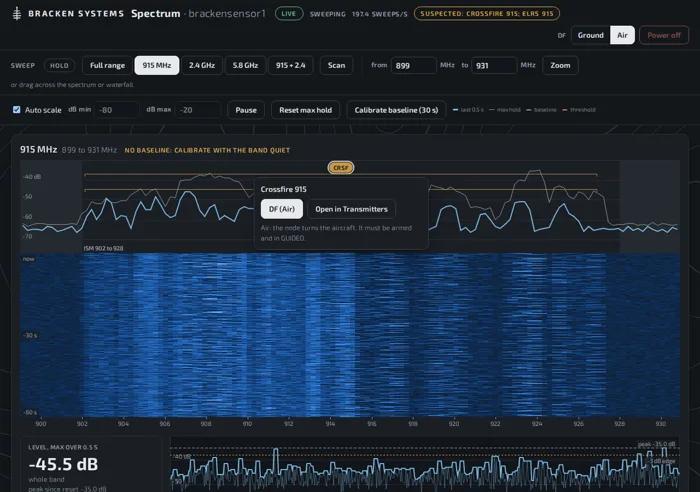
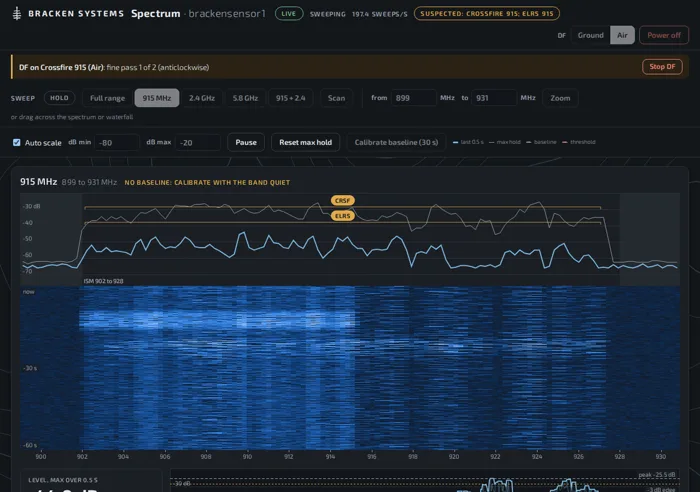
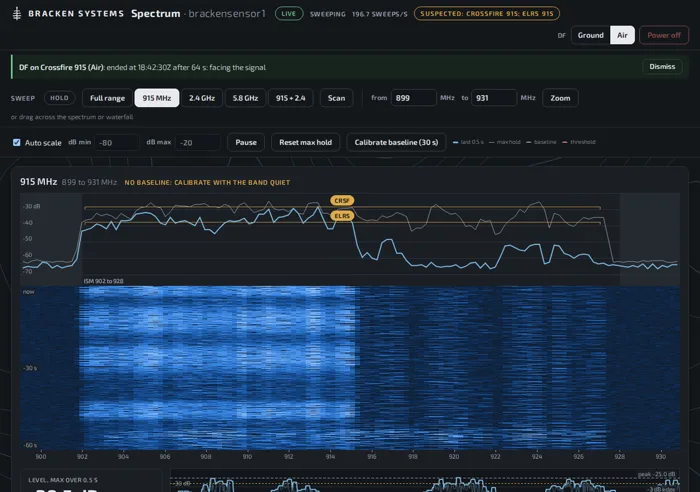
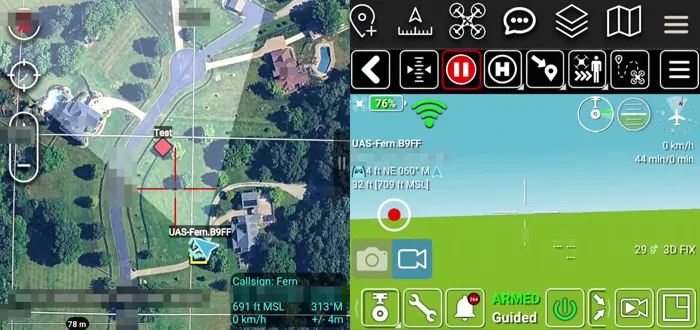
Page screenshots on simulated signals; the video is the real system.